
+7 (473) 204-52-86





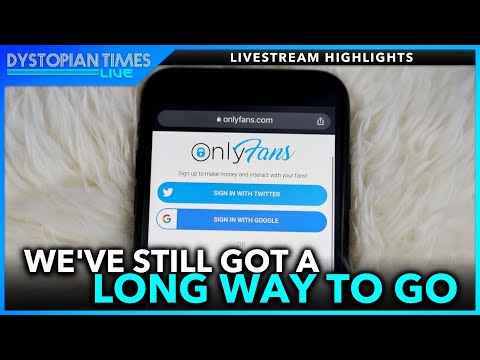
The OnlyFans platform offers a limited‑time free trial to let new subscribers explore a creator’s content without an immediate charge. This trial is meant to showcase the creator’s style, quality, and interaction level, helping prospective fans decide if a paid subscription is worth it. While the idea sounds straightforward, the actual activation depends on a mix of account verification, payment method validation, and regional allowances.
Because the free trial is tied to both the creator’s settings and OnlyFans’ internal safeguards, users sometimes encounter a situation where the free trial simply does not start. Recognizing that a “free trial not working” message can stem from multiple sources is the first step toward an effective fix.
Even though OnlyFans advertises a seamless trial experience, several technical and policy‑related factors can block it. Below are the most frequently reported causes.
OnlyFans requires each user to verify their identity with a government‑issued ID and a valid email address. If any part of this verification process is incomplete, the platform may prevent the trial from activating to protect creators from fraudulent activity.
Although the trial is free, OnlyFans often requires a valid credit or debit card on file to transition to a paid subscription automatically after the trial ends. Declined cards, mismatched billing addresses, or unsupported card types can stop the trial from starting.
Some creators limit their content to specific countries or age groups. If a user’s IP address falls outside the allowed region, the free trial will be blocked, even if the user meets all other criteria.
Browser extensions, cookie blockers, or outdated browsers can interfere with OnlyFans’ JavaScript checks, leading to a “free trial not working” error. A simple refresh or switch to a different device often resolves such glitches.
Before reaching out to support, try the following self‑service checklist. Most users find that one of these actions restores the free trial functionality.
If the trial still does not start after completing these steps, it’s time to gather more specific information for the support team.
Support should be contacted when self‑troubleshooting fails or when you receive a specific error code that you cannot interpret. Preparing a concise ticket will speed up resolution.
Include the following details in your message:
OnlyFans support typically replies within 24‑48 hours, but response times can increase during peak periods. While waiting, you can still explore free content that creators have made publicly available, such as preview clips on their social channels. For example, you might watch onlyfans free model to get a sense of the creator’s style before the trial is resolved.
If the free trial remains unavailable, there are legitimate alternatives that let you evaluate a creator’s material without committing to a full subscription.
| Method | How It Works | Typical Cost |
|---|---|---|
| Pay‑Per‑Post | Purchase individual posts or media items directly from the creator’s feed. | Varies (often $0.99‑$5 per post) |
| Limited‑Time Discount | Many creators run promotional discounts that reduce the monthly price for the first month. | Usually 20‑50% off regular price |
| Free Public Previews | Creators may share teaser clips on Twitter, Instagram, or YouTube that are fully viewable without an account. | Free |
| Collaborative Bundles | Join a group subscription where the cost is split among several fans, lowering the per‑person fee. | Depends on group size |
Each alternative has its own benefits and limitations. Pay‑per‑post provides the most granular control, while discount offers let you experience the full subscription for a reduced period.
Even though you are dealing with a free trial, you are still providing personal data such as an email address and payment information. Keep the following security best practices in mind:
https:// before entering any credentials.By treating the free trial with the same caution you would a paid subscription, you reduce the risk of fraud or unauthorized charges.
Because the “onlyfans free trial not working” problem is popular, unscrupulous sites sometimes promise guaranteed fixes in exchange for upfront payment. Legitimate OnlyFans support never asks for money to enable a free trial.
Stay away from third‑party “trial unlockers” that require you to download software or share your login credentials. They often lead to account bans or data theft. Stick to the official OnlyFans help center and the troubleshooting steps outlined in this guide.
OnlyFans generally limits each user to one free trial per creator. If your initial trial attempt fails due to a technical glitch, you can still request a retry through support, but a second promotional trial is unlikely.
No. The platform only processes a charge after the trial period expires and the subscription is confirmed. If the trial never activates, no payment is taken.
Using a VPN is permissible as long as it does not route you through a country where OnlyFans is blocked. However, some creators disable access for certain IP ranges; a VPN could unintentionally prevent a trial from working.


